

微信搜一搜关注公众号
微信搜一搜关注公众号

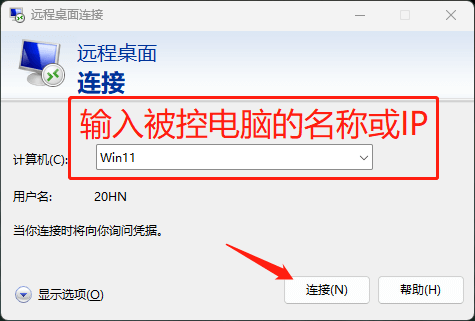
需要开启远程桌面连接,按正常操作无法开启,在一些精简系统上比较常见。
下面是开启和关闭的注册表,有需要的可直接导入即可,Win10、Win11、原版系统、精简系统都可使用。
新建文本文档,复制代码保存为.reg,如无法导入可选编码UTF-16 LE。
Windows Registry Editor Version 5.00
[HKEY_LOCAL_MACHINE\SYSTEM\ControlSet001\Control\Terminal Server]
"fDenyTSConnections"=dword:00000000
[HKEY_LOCAL_MACHINE\SYSTEM\CurrentControlSet\Control\Lsa]
"LimitBlankPasswordUse"=dword:00000000
"LsaPid"=dword:000002d4
Windows Registry Editor Version 5.00
[HKEY_LOCAL_MACHINE\SYSTEM\ControlSet001\Control\Terminal Server]
"fDenyTSConnections"=dword:00000001
[HKEY_LOCAL_MACHINE\SYSTEM\CurrentControlSet\Control\Lsa]
"LimitBlankPasswordUse"=dword:00000001
"LsaPid"=dword:000002c0
网友评论